Skip to content New Remote signing: customers sign their rental agreement with a one-time code before they even reach the desk.
Rentilo

Every vehicle has its story. And you always know where it is.

Fleet planner, downtime, maintenance and due dates, damage and fines linked to the right customer. Plus positions from the trackers you already have.

rentilo.it
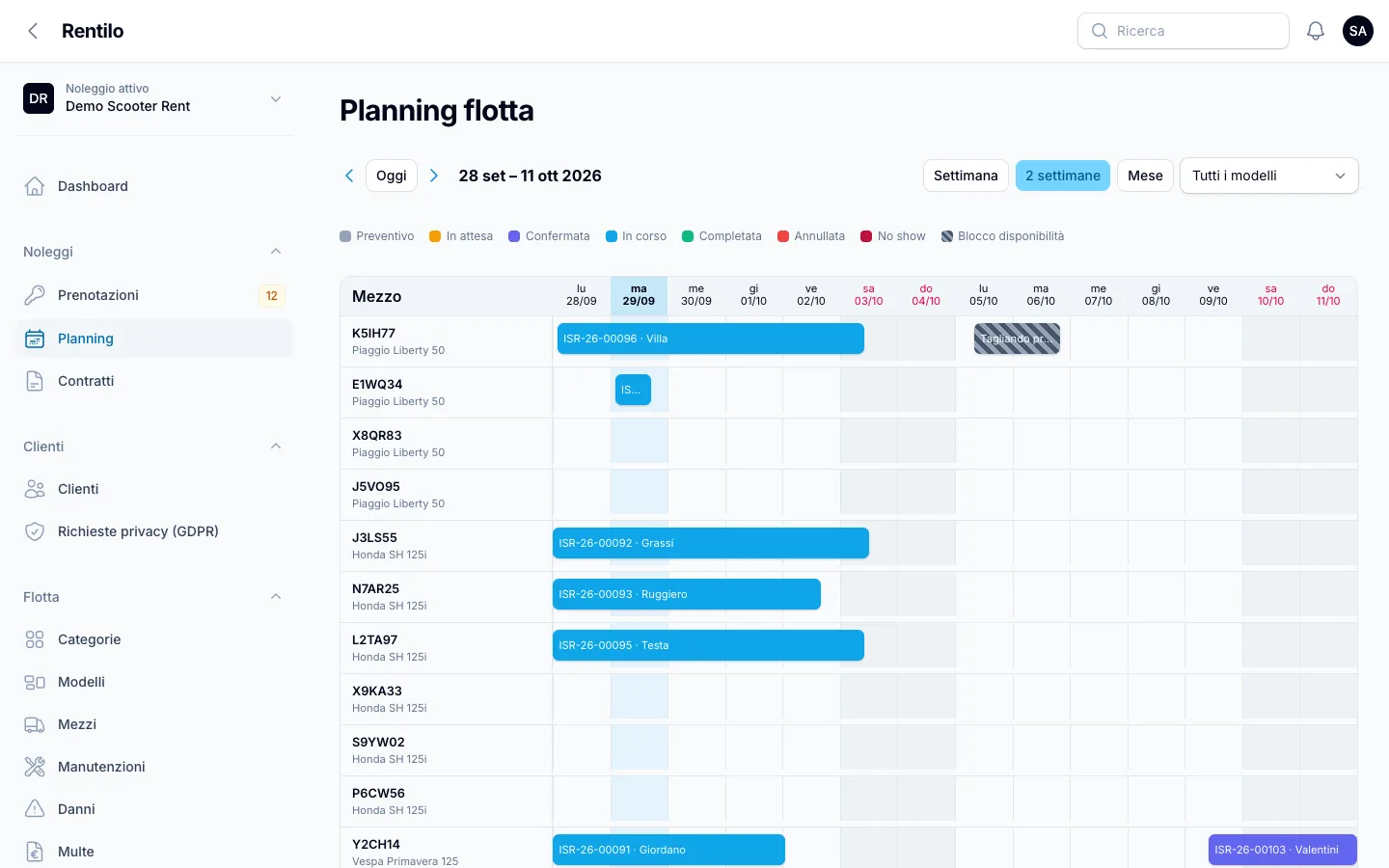
The fleet planner in Rentilo
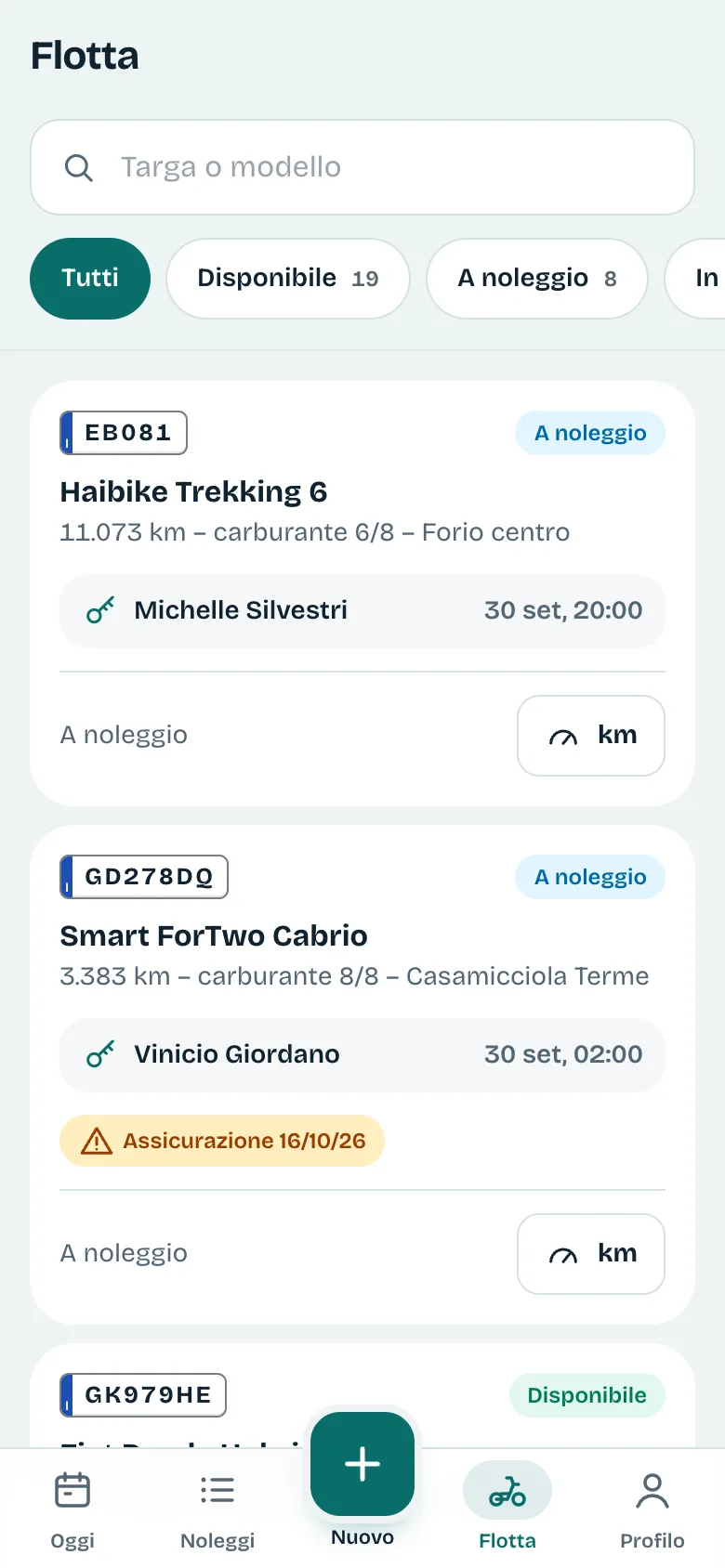
Fleet status in the staff app
Roadworthiness test due soon Staff alert every morning
rentilo.it
Your whole fleet on one calendar.
01 Planner

Your whole fleet on one calendar.

One vehicle per row, one day per column. See what’s going out, what’s coming back and which vehicles are off the road. Bookings not yet assigned to a plate stay highlighted on their model.

  • Categories, models and individual vehicles with plates
  • Pick-up points: office, harbour, hotel, station
  • Vehicle downtime for the workshop, cleaning or internal use
  • Scooters, motorbikes, cars, vans, quads, bikes and e-bikes
rentilo.it
Every vehicle’s story on one page.
02 Vehicle history

Every vehicle’s story on one page.

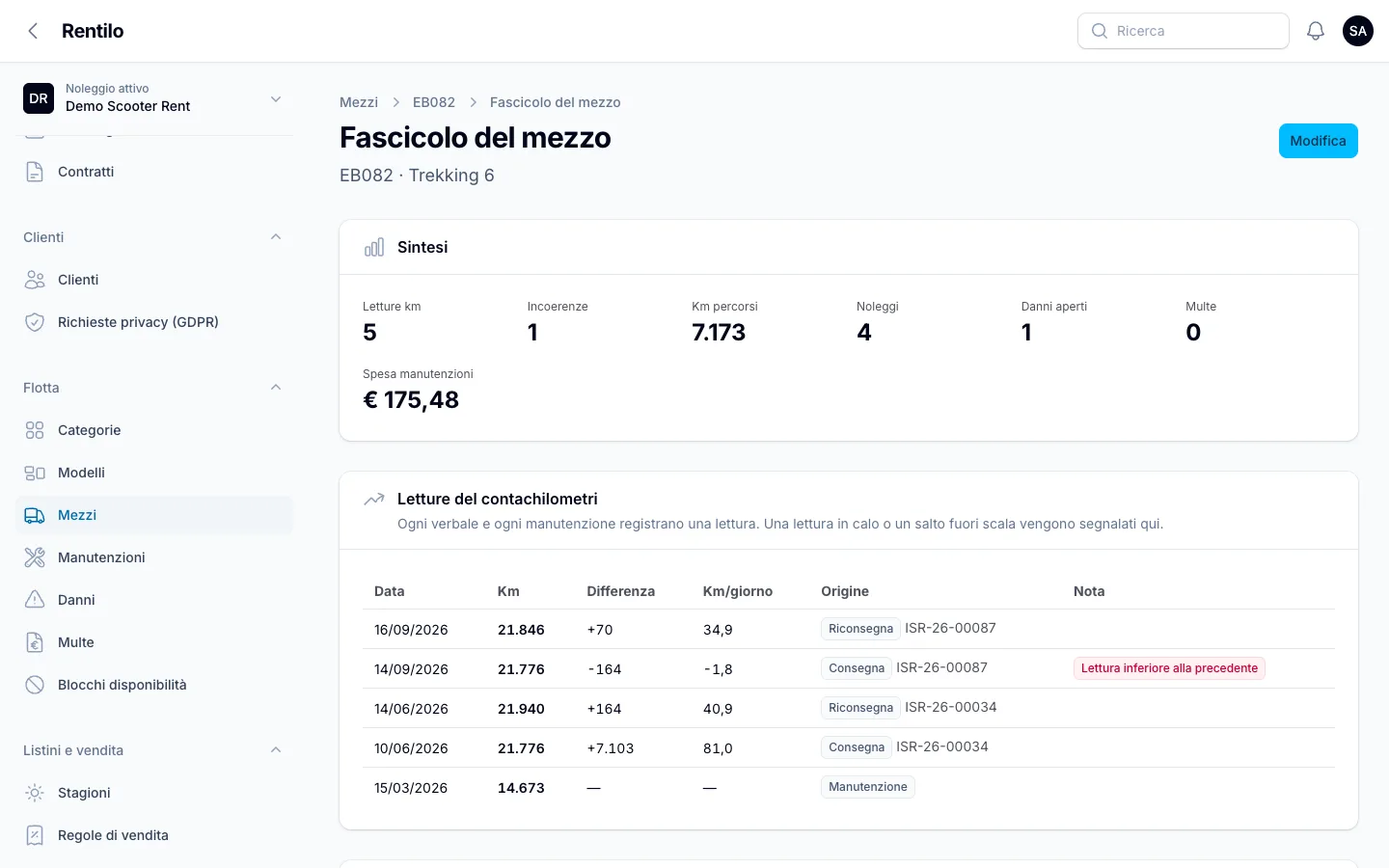
Rentals, damage, maintenance and fines in a single timeline. Every report and every service logs the mileage, and Rentilo flags readings that don’t add up.

  • A single timeline of rentals, damage, maintenance and fines
  • Falling mileage flagged straight away
  • Out-of-range jumps above the daily km limit you set
  • Last known GPS position, with a link to the map
rentilo.it
Every damage and every fine on the right rental.
03 Damage and fines

Every damage and every fine on the right rental.

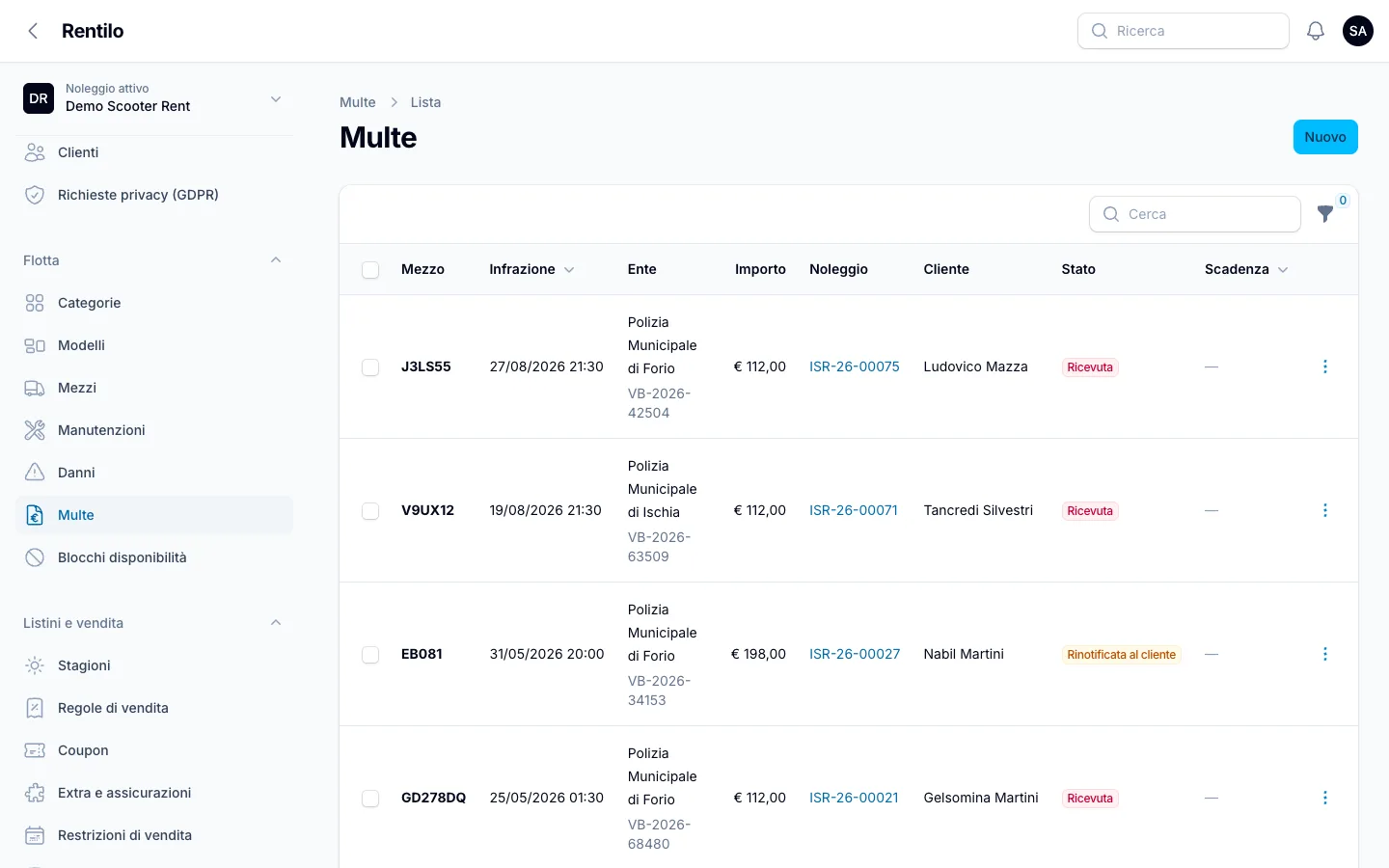
Damage is logged at check-in with photos and severity, then tracked until it’s repaired or charged. When a fine turns up months later, Rentilo finds the rental running at that time and the customer who had the vehicle.

  • Damage with photos, severity and status: open, charged, repaired
  • Fines matched automatically to that day’s rental
  • Fine status: received, served, recharged or paid by you
  • Everything stays in the vehicle history
Use the trackers you already have.
04 GPS

Use the trackers you already have.

No need to swap your devices. If your vehicles already have a tracker connected to a Traccar server, Traccar forwards the positions to Rentilo and each vehicle is recognised by its device ID.

  • No new hardware to buy or install
  • Last known position of every vehicle, with speed and map
  • Optional position history
  • Automatic deletion after the number of days you choose
And more

Vehicles road-legal, no spreadsheets.

Due dates, maintenance and documents no longer get lost between a diary and a WhatsApp group.

Maintenance

Services, oil, tyres, brakes, battery and repairs. Scheduled, in progress or done, with the mileage at the time.

Vehicle due dates

Insurance, roadworthiness test, road tax and service. Every morning your staff are alerted to what’s coming up.

Documents with expiry dates

Registration papers, policies and company documents archived, with a reminder before they expire.

Fleet on your phone

In the app, staff search by plate, see open damage and upcoming rentals, and update mileage and vehicle status.

Fleet utilisation

Reports show how hard your vehicles work and how much each model and category earns.

Multiple locations

Each vehicle has its home location, and each location its own hours and pick-up points. You always know where a rental starts from.

Out of service

A vehicle in the workshop or out of service isn’t offered to customers until it’s available again.

Fault reports

Breakdowns are reported with an internal ticket linked to the vehicle, from the app too.

Role-based permissions

Operators and drivers see the fleet and fill in reports. Rates and accounts stay with whoever manages them.

FAQ

The questions we hear most often.

Ask us anything
Do I need to buy new trackers?

No. Rentilo receives positions from a Traccar server, which works with most trackers on the market. If your vehicles already have one connected to Traccar, just enter the device ID on each vehicle.

What if I don’t have GPS?

Everything else works just the same. GPS is optional and you can switch it on whenever you like.

Can I take a vehicle off the road for a few days?

Yes. Create a downtime block with the dates: the vehicle disappears from online availability for that period and shows as blocked in the planner.

How does Rentilo know who got the fine?

Enter the plate, date and time of the offence. Rentilo finds the rental running on that vehicle at that moment and links it to the fine, along with the customer.

What are the mileage alerts for?

A reading lower than the previous one is usually a typo or tampering. A jump far too big for the days elapsed deserves a check. Rentilo flags both in the vehicle history.

Can I import my existing fleet?

Yes. During onboarding we load your categories, models and vehicles with you, so you start with your fleet ready to go.

See Rentilo running your rental business.

In 20 minutes we’ll show you the software set up with your vehicles, your seasons and your locations. No strings attached.

Try the demo Book a demo